

BomBash for PC
Native keyboard, lobby chat and shortcuts made for the computer
Games · Artillery · Official Emulator
The Official Windows Emulator is on its way. For now, play on mobile: get it on Google Play or the App Store.
See it on the computer
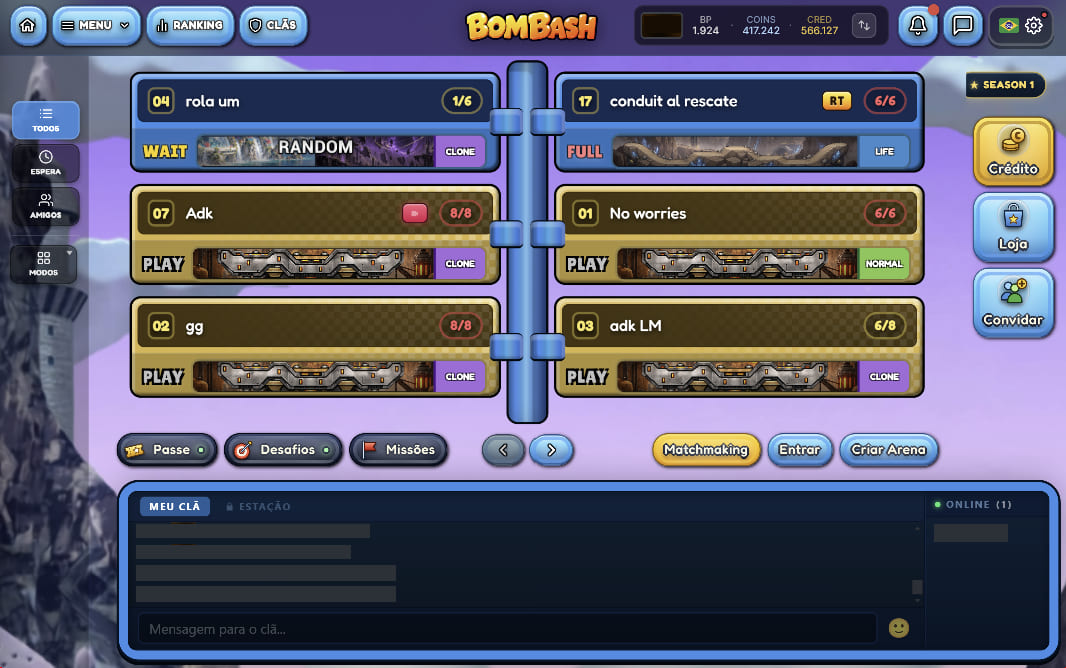
What changes on PC
Native keyboard
Type in chat with your PC keyboard, exactly the way you're used to.
Clan chat
Talk to your clan members right from the lobby, without leaving the main screen.
Waiting room chat
Line up the match with everyone before it starts, in a much handier way.
Items with F1, F2, F3
Pick items during your turn with hotkeys, no hunting around the screen.
Switch shots with TAB
Swap between your Frame's shots in one tap, plus other PC-friendly commands.
About the emulator
Plenty of players already ran BomBash on their computer using mobile emulators. So we built our own Official Emulator, with an experience much closer to a real desktop client.
The goal is simple: smoother, more practical, more comfortable play for anyone who prefers a PC, without giving up anything from the game.
Your account is the same as on mobile: download it on the computer and pick up right where you left off. Your Frames, Coins and Ranking come along.
How to install
- 1Click "Download for Windows" and wait for the installer to download.
- 2Open the downloaded file and follow the install steps.
- 3Sign in with the same account as mobile and start playing.
Information
- Available for
- Windows 10 or 11 (64-bit)
- Category
- Games
- Price
- Free
- In-app purchases
- Credits
- Account
- Same as Android and iOS
Trouble installing
- Check that Windows is up to date before installing.
- Make sure there's free space on the disk.
- If Windows warns about the installer, choose "More info" and then "Run anyway".
- Still stuck? Write to [email protected] or reach us on Discord.